Nemea
Strength, decided.
The training log for iPhone that knows your next weight, counts your rest on the Lock Screen and draws every one of its 1,324 exercises.
Every session starts at the right weight. Hit your reps and it goes up. Miss them and it holds. Stall three times and it backs off ten percent. You just lift.
Up next, always.
The next set is the one loud thing on screen. Tick it and Nemea scrolls to the set after, with last session’s numbers and the reason for today’s weight right above.
Rest that follows you.
A 1:28 countdown in the app, on the Lock Screen and in the Dynamic Island, with a tap at three, two, one. Supersets rest after the round, not after each exercise.
Finish with the numbers.
Duration, sets, volume and records on one sheet. Unticked sets are left out, and the workout goes to Apple Health if you want it there.
Progress, decided for you.
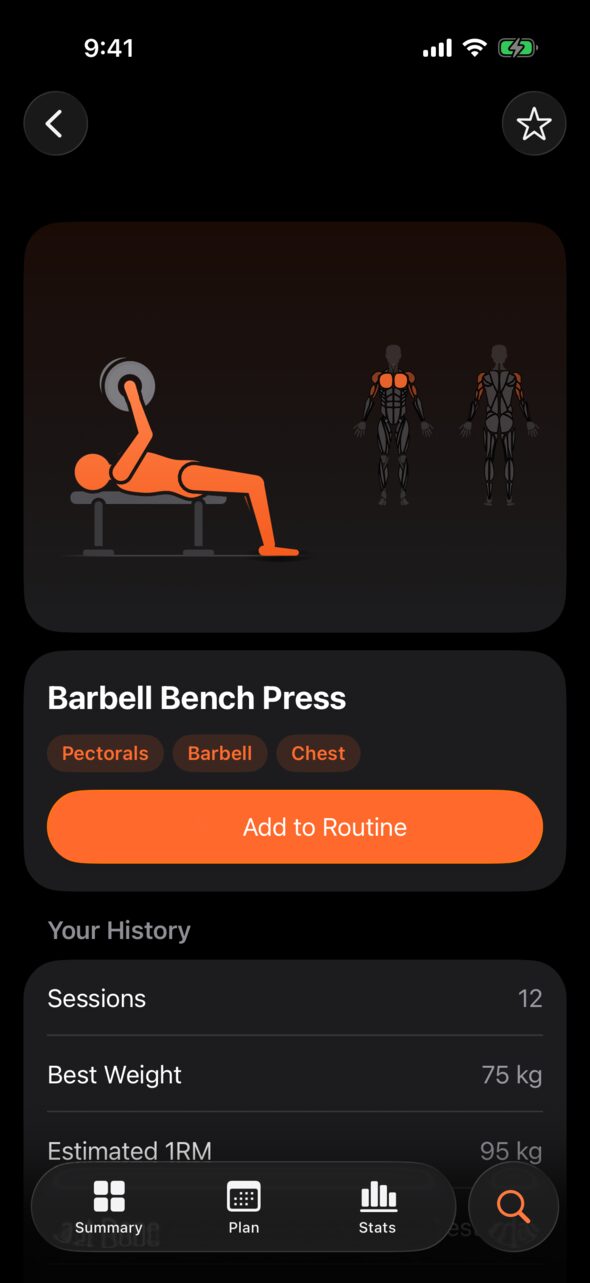
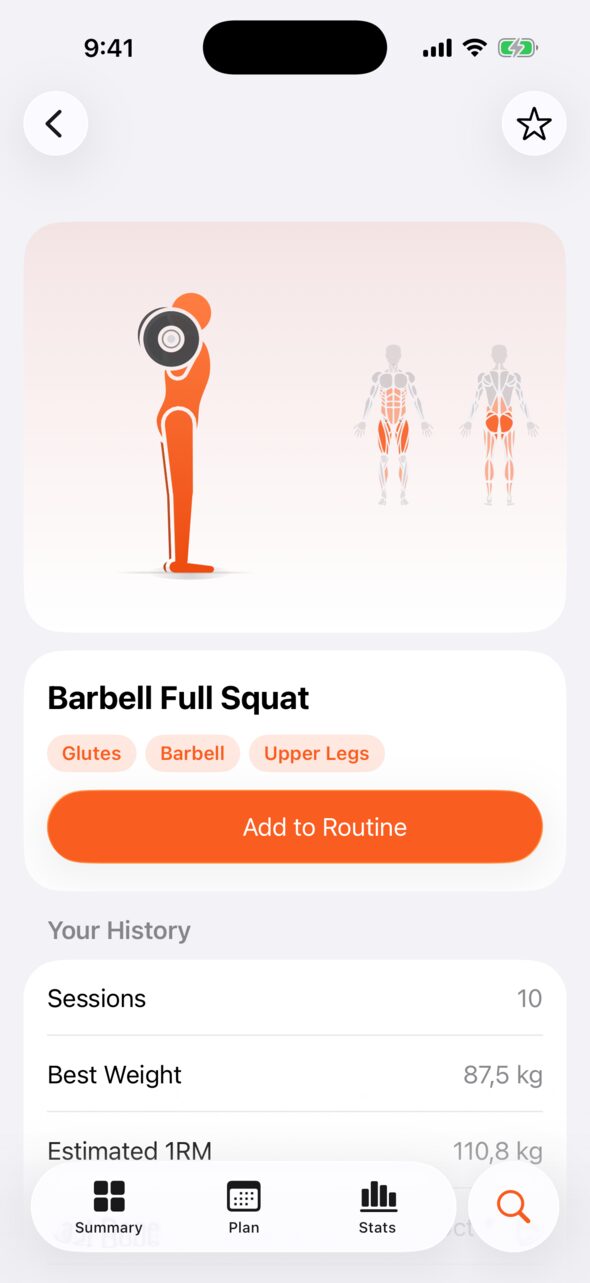
1,324 exercises. Every one drawn.
No stock photos and no borrowed GIFs. Nemea animates each movement itself from 73 movement patterns with a real skeleton: knees that only bend one way, feet that stay planted, a bar that stays level in the hands.
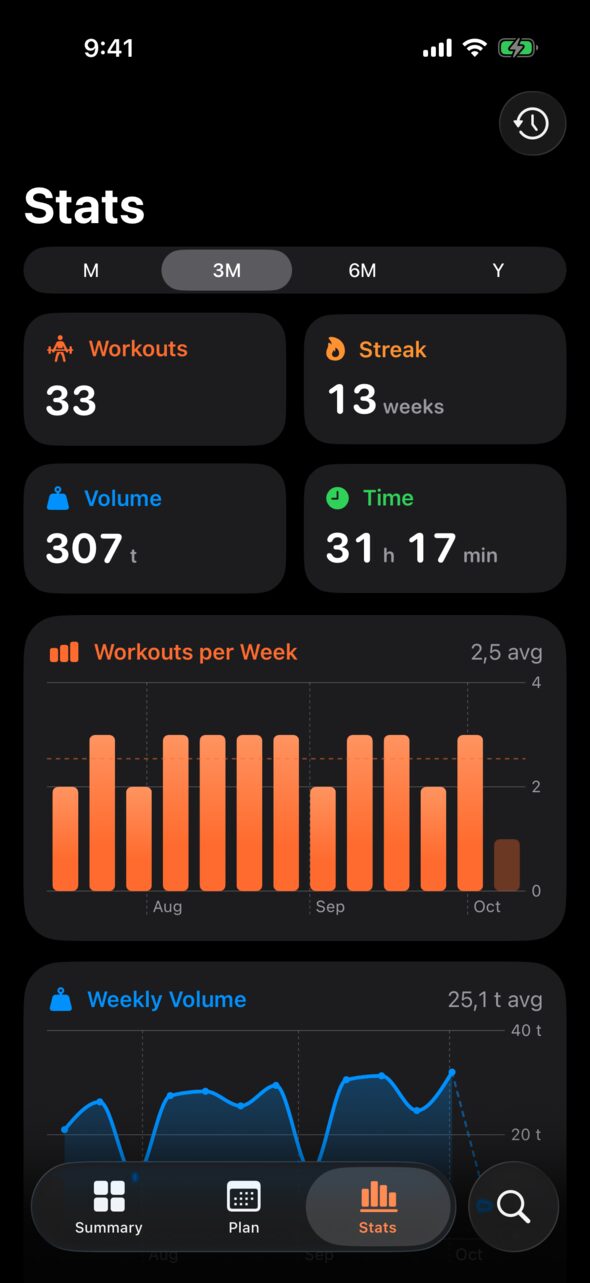
A year of training, in one glance.
Every day you trained, every kilo you moved. Thirteen weeks in a row on the example profile, and the bars get taller as the plan does its job.
Light, dark, English, français.
Summary
Everywhere iPhone is.
Nemea is a native SwiftUI app, built on the parts of iOS you already use. Nothing to learn, nothing to set up.
Siri and Shortcuts
Start a routine, log a weigh-in or ask what’s planned, without opening the app.
Start Push Day in Nemea
Widgets and controls
Today’s workout with a Start button, a weekly ring on the Lock Screen, and Start Workout in Control Center.
Live Activity
Your rest counts down on the Lock Screen and in the Dynamic Island while the phone stays in your pocket.
Apple Health
Weigh-ins go both ways, and finished sessions are saved as strength training workouts.
iCloud sync
Routines, workouts and weigh-ins follow you to every device signed in to your Apple Account.
In French, too
Every screen, all 1,324 exercise names and their instructions. Search “développé couché” and find the bench.